
Designed for NZ Companies
Ditch the paper, jump online with TTM Control.
Save time. Save money. Improve H&S.
Book the job, plan the crew, and let your STMS do the paperwork on their phone. It all comes back to the office ready to invoice.
From the phone call to the invoice.
Every job follows the same road. TTM Control keeps it on one record, so nobody types the same thing twice.
Book
Take the call and fill in one form: client, site, TMP, closure type, gear, crew and vehicles.
Plan
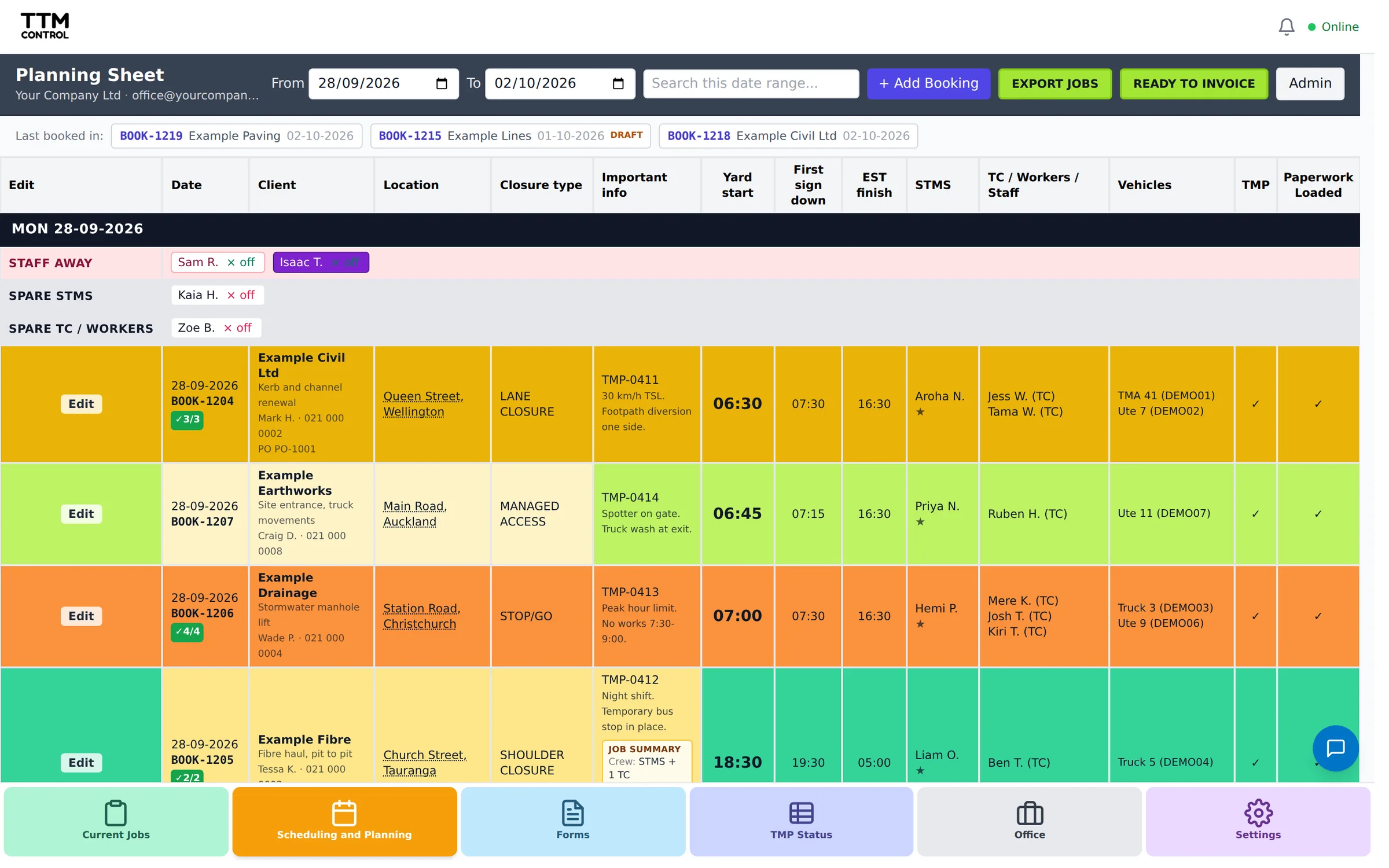
The planning sheet shows the whole week. Who is on, who is spare, who is away and which vehicles are out.
On site
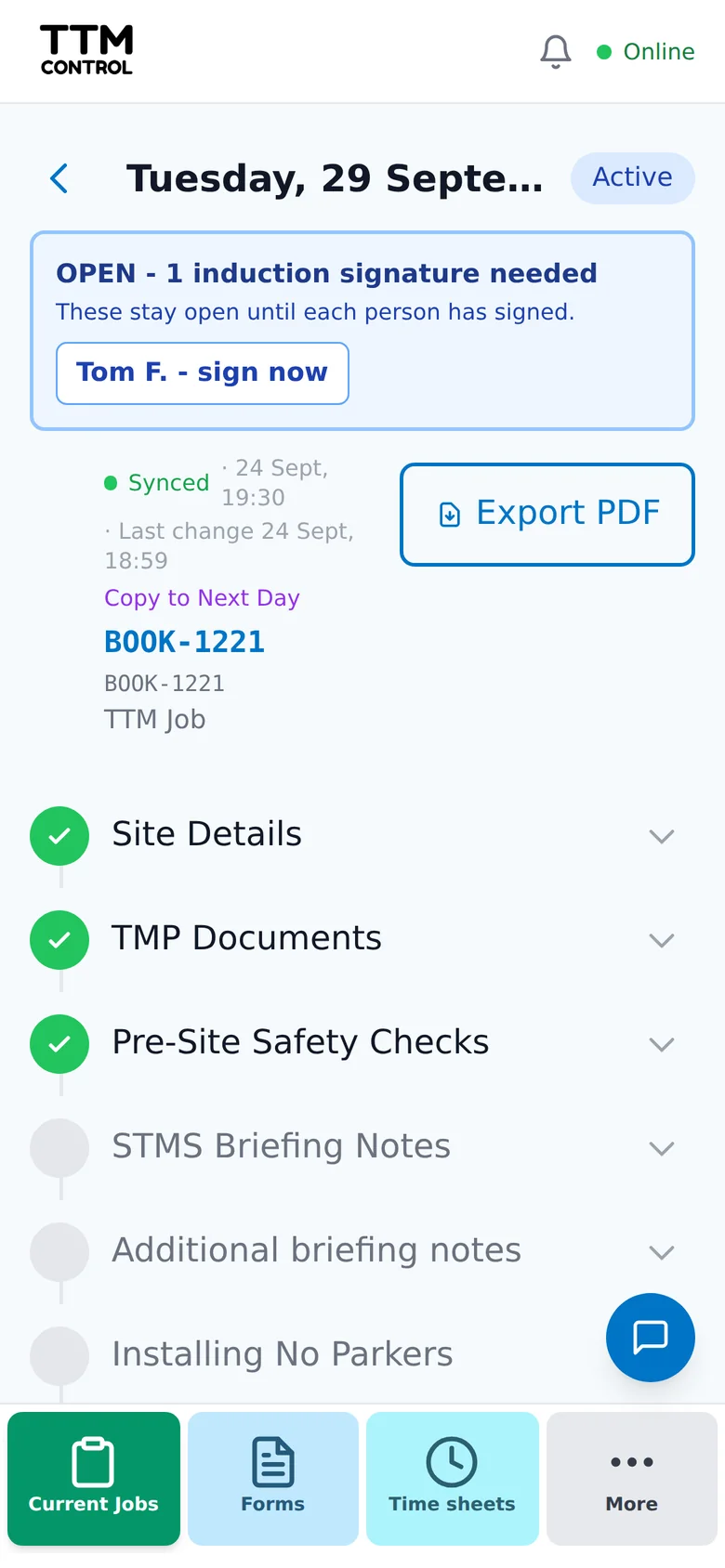
Your STMS opens the job on their phone and works through the paperwork as the day goes on. No signal? It saves on the phone and syncs later.
Invoice
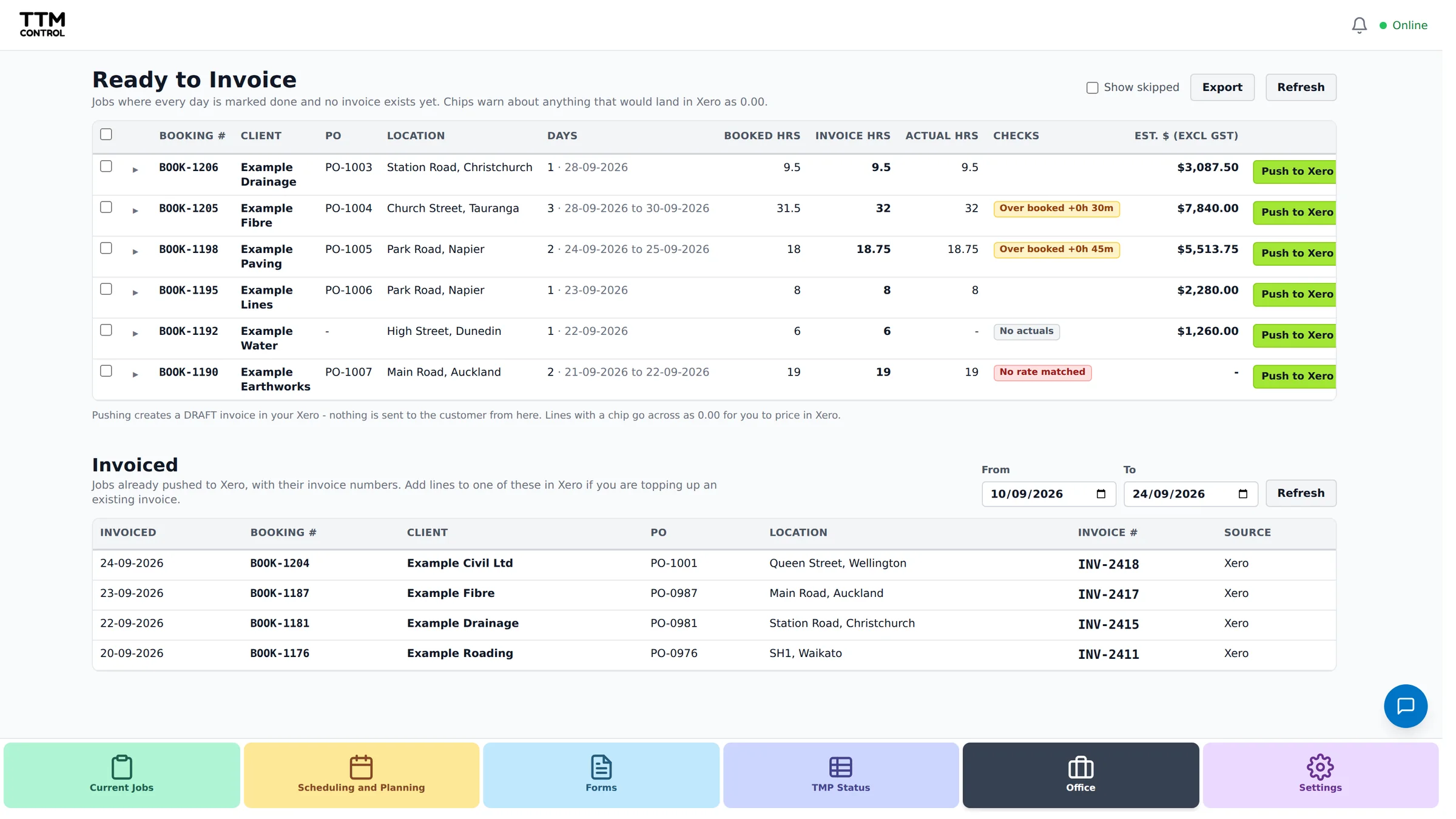
Finished jobs land on the Ready to Invoice list, ready to push to Xero as a draft invoice.
In the office
Book it once. Everyone sees it.
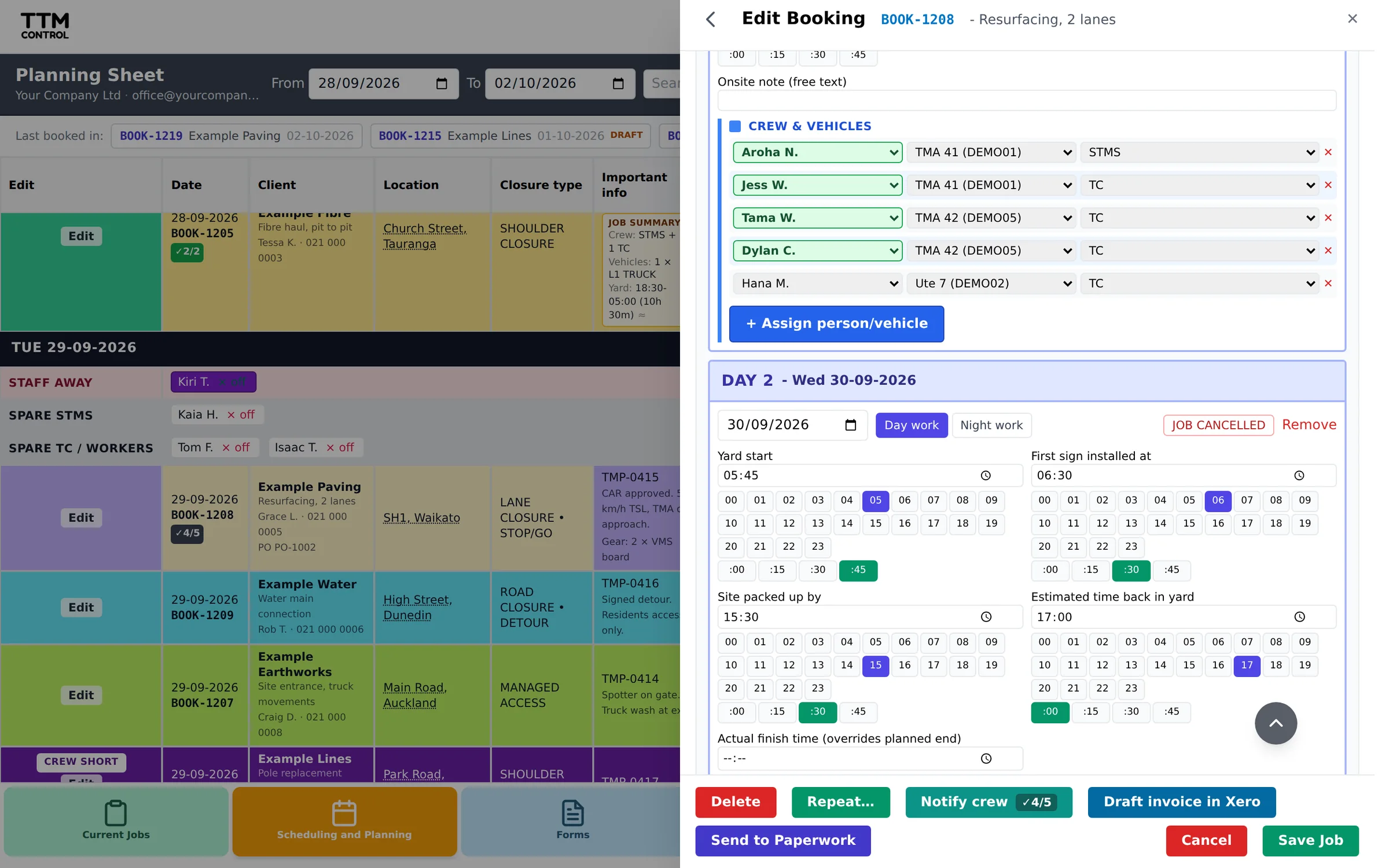
One form for the whole job. Keep it as a draft while you wait on the TMP, then confirm it and the paperwork goes straight to the crew. Repeat a regular job or run it over several days.
On site
Paperwork done on the job, not in the ute after.
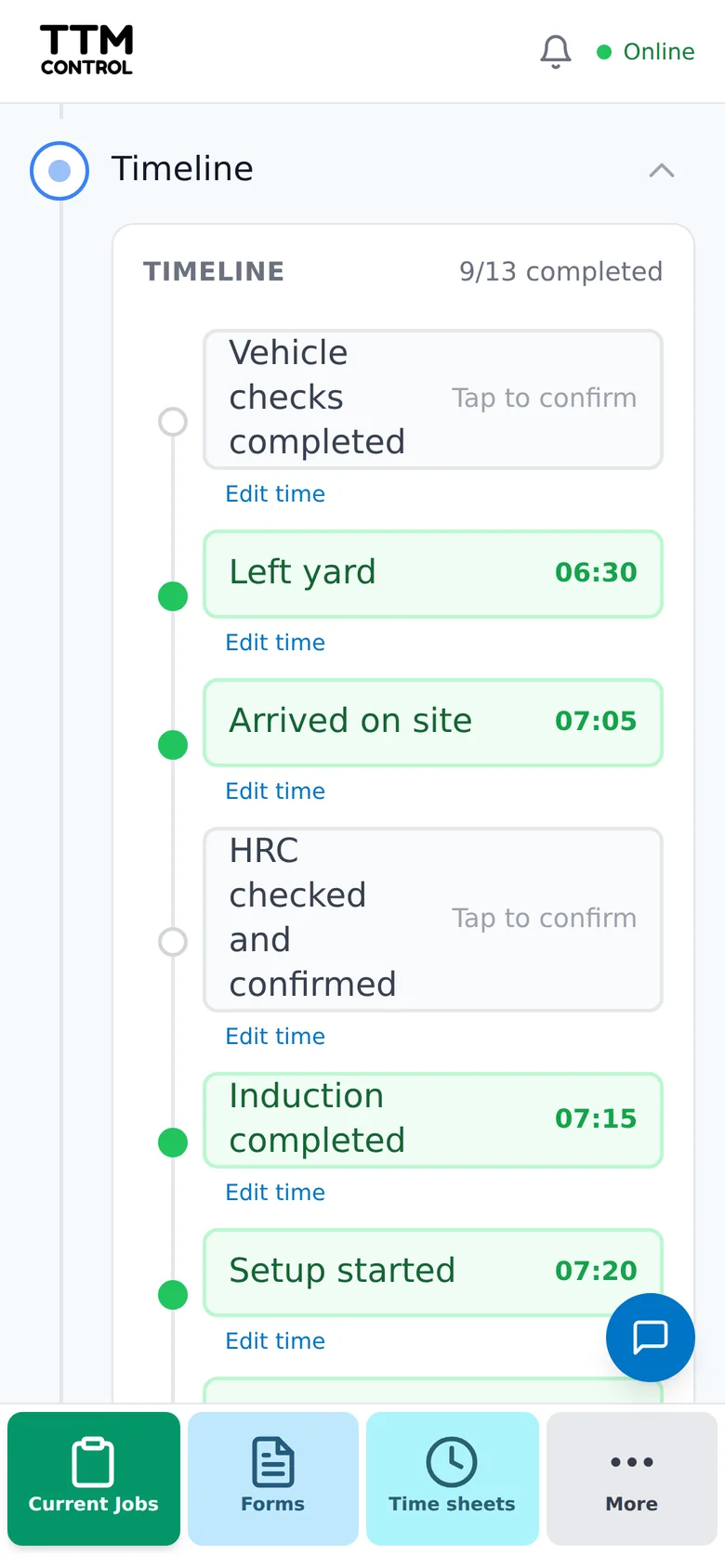
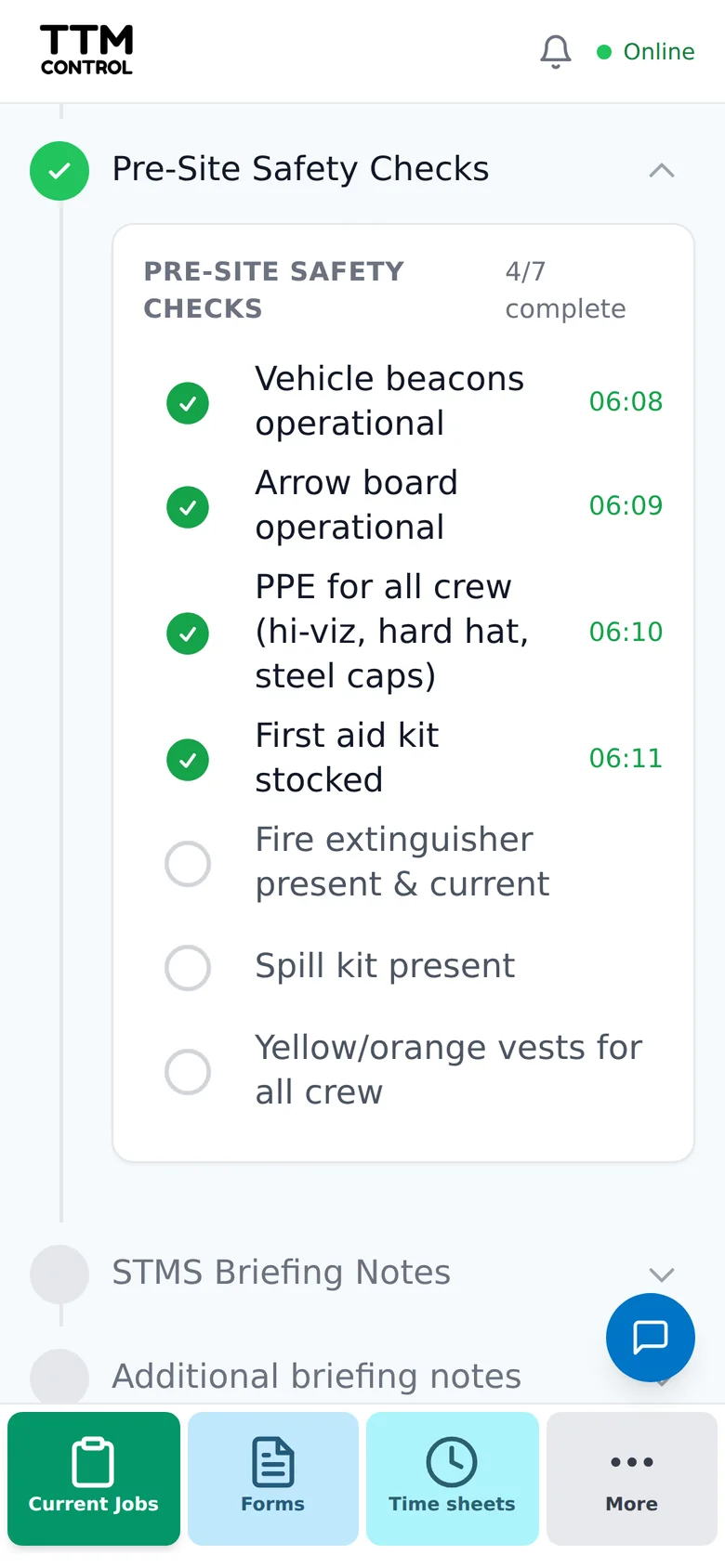
Your STMS works through the job step by step: timeline, safety checks, briefing, site inductions, risk assessment, TMP variations with photos, and sign-off at the end of the day. Every tick is timed, and it saves as they go, even out of reception.
Back in the office
Every finished job, ready to invoice.
When the paperwork is done the job queues up on one list, with the hours from site beside the hours you booked. Push it to Xero as a draft invoice or mark it invoiced, and nothing slips through.
Made for how TM companies actually work.
Works without signal
Paperwork keeps going offline and syncs when the phone is back in range.
No per-user fees
One monthly cost per company or branch, enquire for pricing at [email protected]. Office, STMS, crew, labour hire and clients all get a login.
Built around NZGTTM
Forms and checklists follow NZGTTM and the way an STMS actually runs a site.
Phone, iPad or computer
The same job on every device. The office sees changes from site as soon as the phone has signal.
Ready for an audit
Export any job to PDF at any stage, and every completed form is emailed to the office.
Vehicles kept legal
Rego, WOF/COF and service dates tracked, with an email before anything runs out.
See it in action.
A quick look at a job going from booking, to site, to invoice.
Start your free trial.
Leave your details and we will get your company set up and help you through your first week.
What happens next
- We set up your company and email you a login.
- Add your staff, clients and vehicles. We send a step by step guide.
- Book your first job and send it to the crew.
Enquire for pricing, or talk to us first: [email protected]