
What it does
Simplify your life, ditch the real paper.
Booking, scheduling, risk management and STMS paperwork all online, done on site and synced to the office. Here is what it actually looks like.
Planning
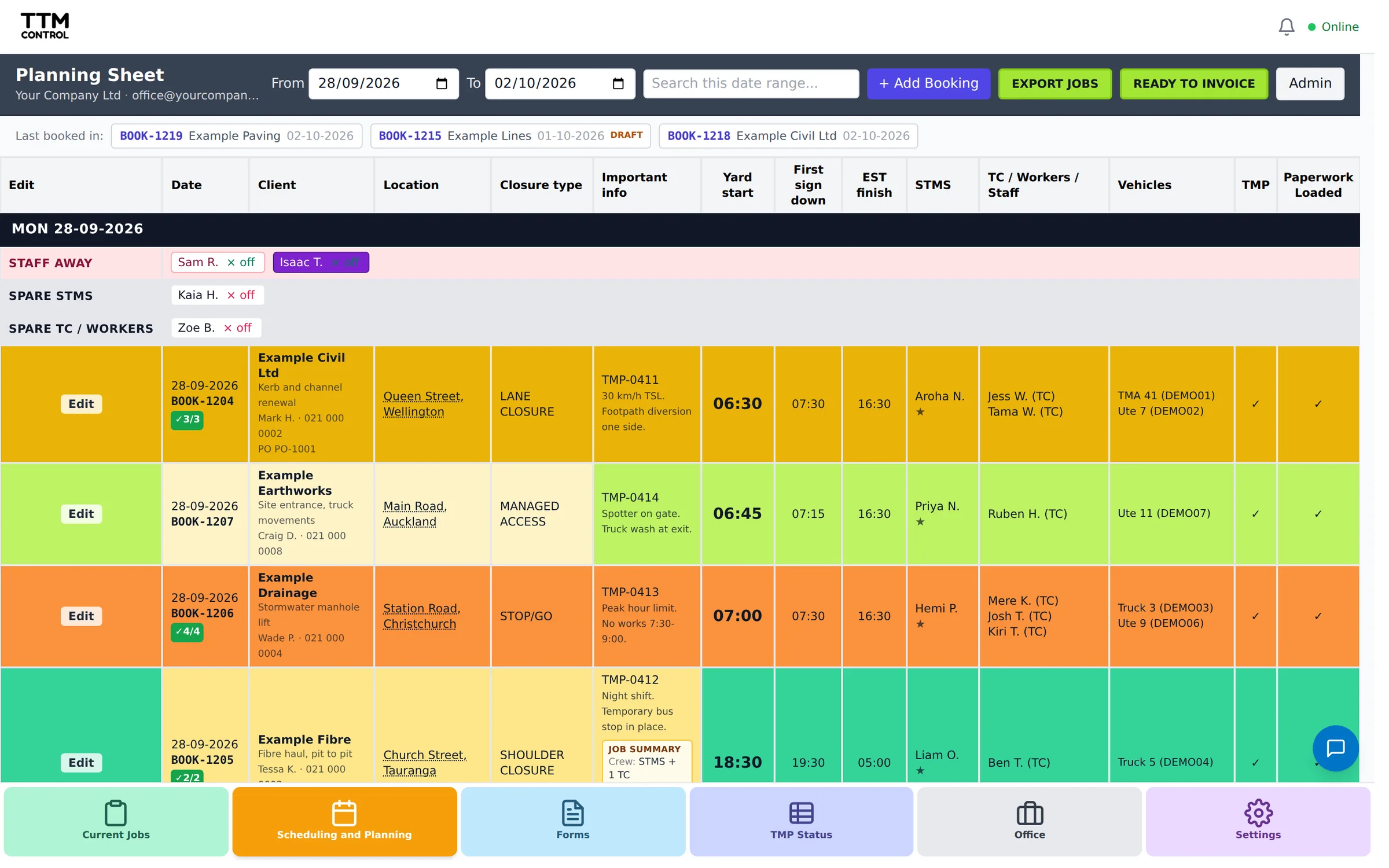
Plan and schedule the whole week on one sheet
Every booking laid out by day, with the client, location, closure type, yard start and finish times, the STMS, the crew, the vehicles and the TMP. See who is on, who is spare and who is away at a glance, move staff on or off a job with a tap, and export or email the day’s plan straight to the crew.
Booking
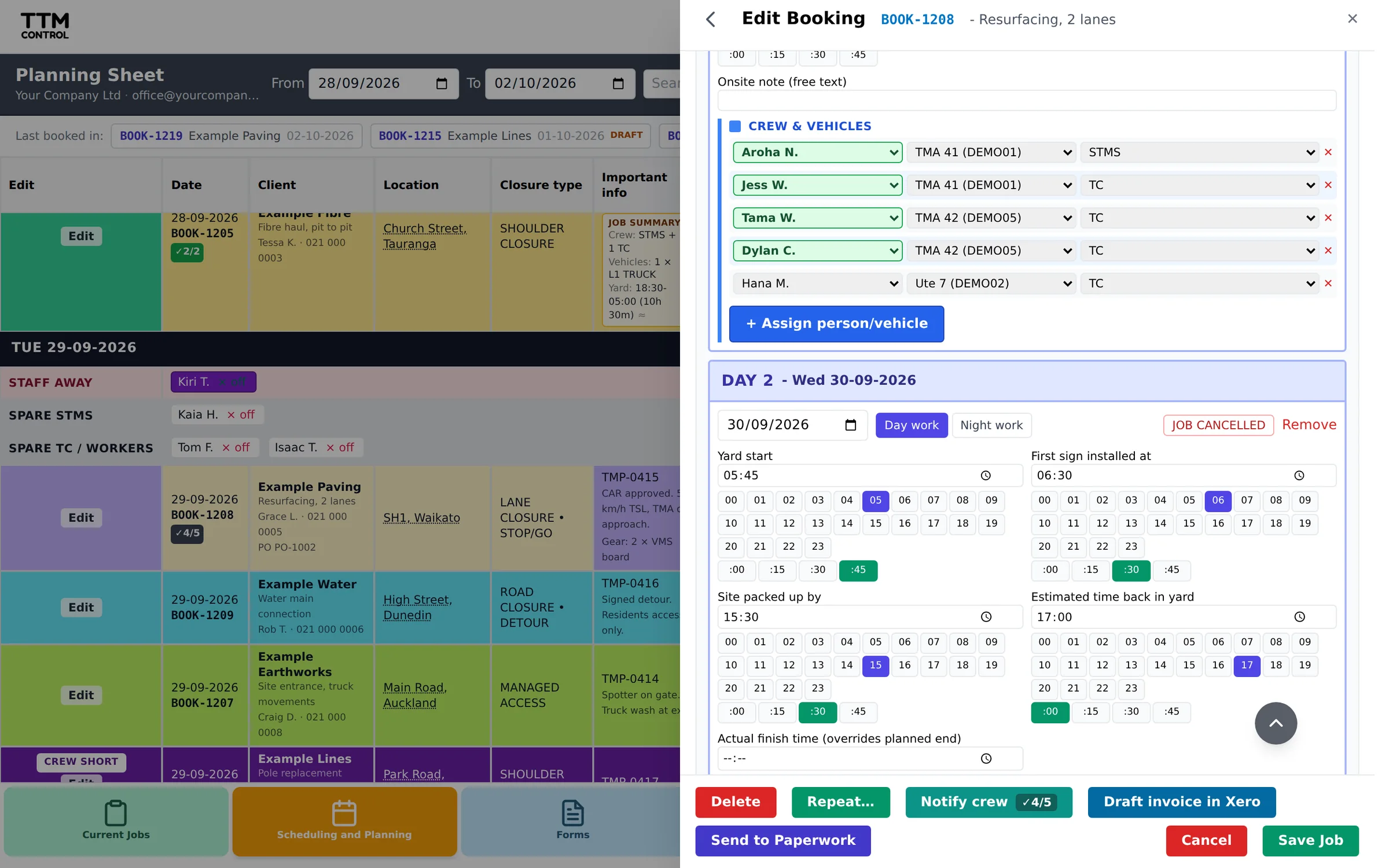
Book a job in, then turn it into paperwork
Fill in the client, site, dates, closure types and the crew and vehicles for each day. A job stays a draft until you confirm it, then it becomes the job and paperwork your crew picks up. Repeat a regular job, run multi-day work, and push a confirmed booking to a draft invoice in Xero. When the paperwork is done the job queues up on a Ready to Invoice list, so the office can tick it off and nothing gets missed.
On site
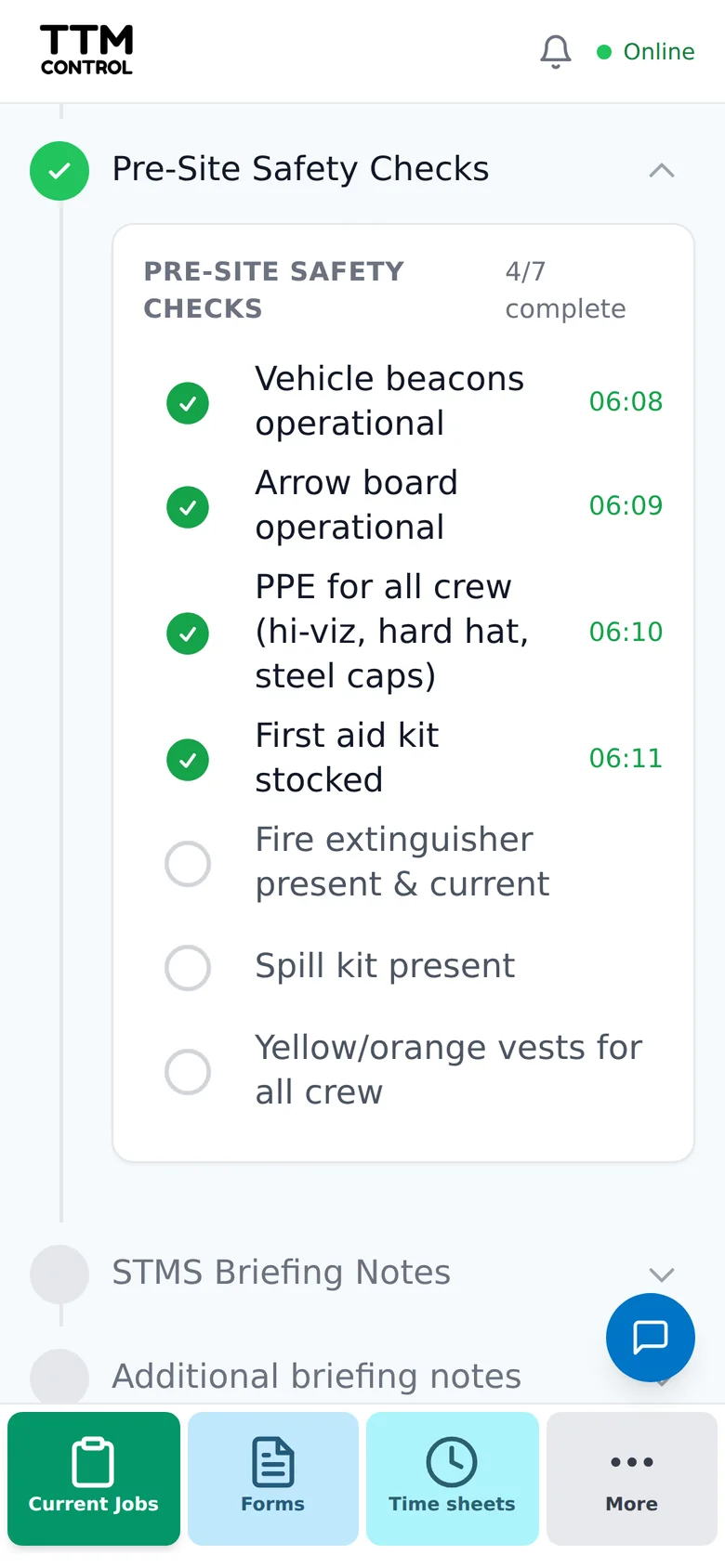
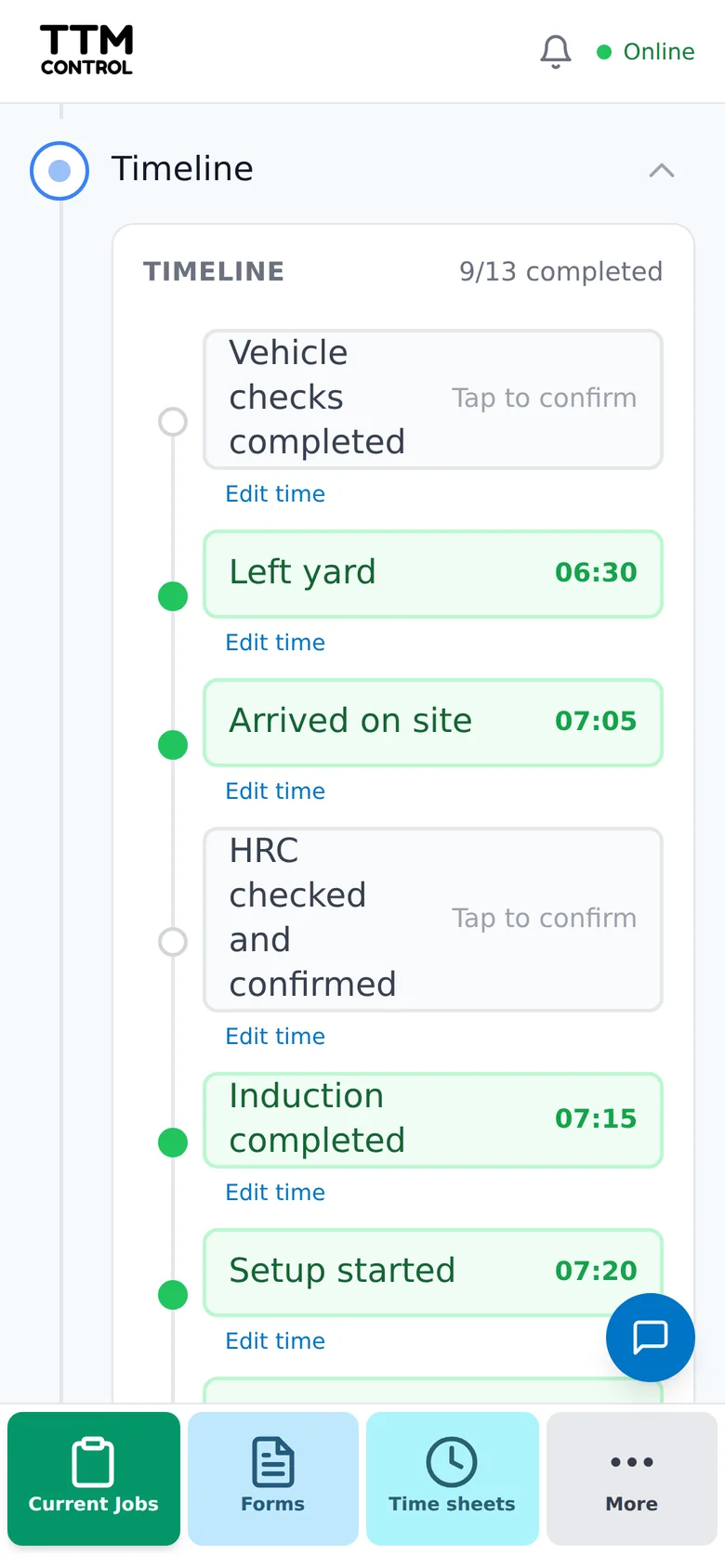
STMS paperwork, done on site, no pen required
The on-site record your STMS completes at the job. Location and closure details, inductions, pre-install and site-install checklists, risk management, temporary speed limits, onsite records, TMP variations and quick notes with photos, worksite monitoring and signatures. Filled in on a phone, iPad or computer, and it syncs back to the office on its own.
Risk
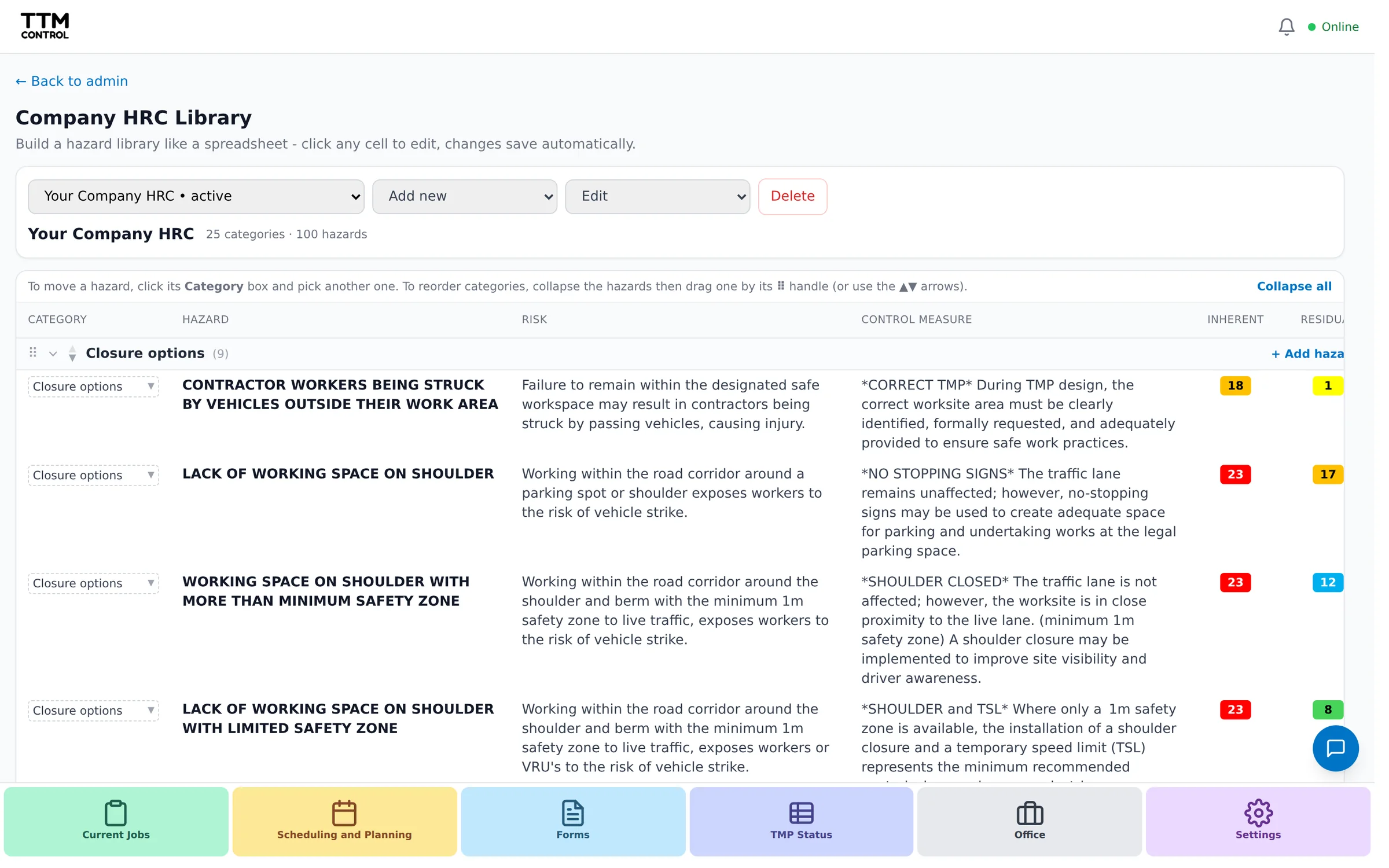
Your HRC library, ready on every job
Build your company hazards, risks and controls once, or bring them in from a spreadsheet with the optional AI import, and the crew pulls the right ones onto each job. Inherent and residual risk codes and control measures stay consistent across every job sheet, without anyone retyping them.
Team and admin
The team and the admin, sorted
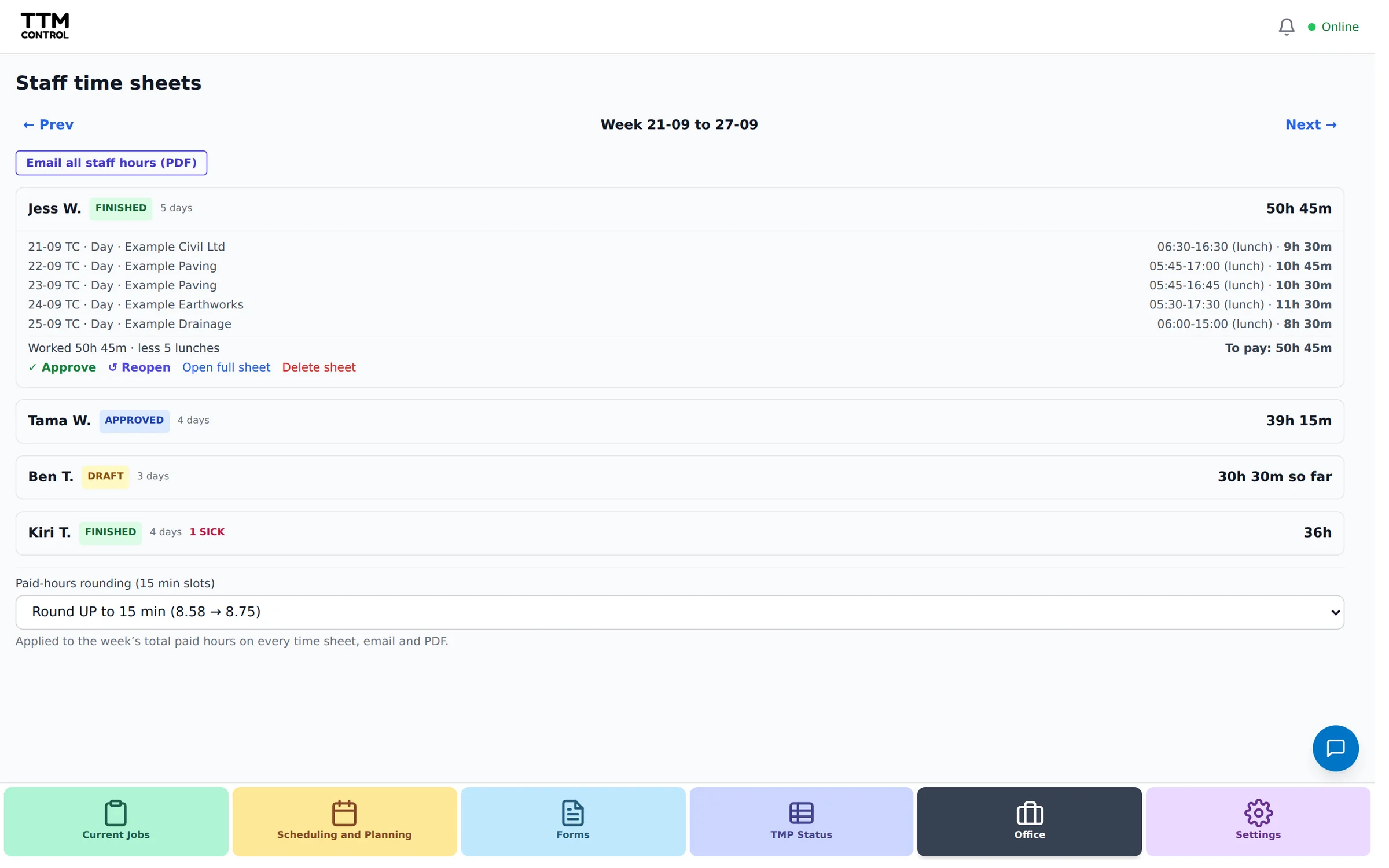
Invite your crew and set what each role can see, from admin and ops down to TC / CP, labour hire and clients. Weekly timesheets total up per person with a PDF you can email, you get a daily bookings backup, you can connect Xero, and each person can link their own TTM Evidence account. Run more than one company and switch between them under the one login.
And the rest.
- Works offline on site
- Free push alerts to crew
- Daily bookings backup
- Invoice direct to Xero
- Vehicle rego, WOF/COF and service alerts
- TSL records with GPS, photo and alerts
- End-of-day paperwork check
- Staff hours grid for payroll
- Run more than one branch or company
- Phone, iPad or computer
- Guided tour built in
Getting up to speed.
Set-up is nine steps, about half an hour all up, from your team and staff list, through your clients, vehicles and hazard library, to your first job. We walk you through each one with screenshots, in the order that makes everything click.
Start your free trial.
Leave your details and we will get your company set up and help you through your first week.
What happens next
- We set up your company and email you a login.
- Add your staff, clients and vehicles. We send a step by step guide.
- Book your first job and send it to the crew.
Enquire for pricing, or talk to us first: [email protected]